.png)
AI CRM Software: How AI Agents Automate Sales and Customer Communication
Learn how AI CRM software connects AI sales agents, lead qualification, WhatsApp, appointment booking, automated follow-up, and human handoff in one customer journey.
AI CRM Software: How AI Agents Automate Sales and Customer Communication
Customers do not wait patiently for a business to organize its inbox. They submit a form, send a WhatsApp message, reply to an Instagram post, call a phone number, or request an appointment—and they expect the business to understand the conversation and respond quickly.
That is the practical value of AI CRM software. It combines customer relationship management, connected communication channels, automation, and AI agents so that every inquiry can move toward a useful next step without creating more administrative work for the team.
The goal is not to remove people from customer relationships. It is to let software handle immediate, repetitive coordination while employees focus on advice, trust, negotiation, and decisions that need human judgment.
This guide explains how an AI CRM works, where AI agents create measurable value, what should remain human, and how to evaluate a platform for a growing organization.
What Is AI CRM Software?
AI CRM software is a customer relationship management platform that uses artificial intelligence to understand customer messages, organize information, recommend or perform actions, and support teams throughout the customer journey.
A traditional CRM stores contacts, opportunities, notes, tasks, and pipeline stages. An AI-enabled CRM can also help interpret an inquiry, ask qualifying questions, summarize a conversation, identify intent, suggest a response, book an appointment, update a record, or trigger the correct workflow.
The most useful systems connect AI to the operational parts of the business:
- Customer records and conversation history
- WhatsApp, SMS, email, web chat, and supported social channels
- Sales pipelines and opportunity stages
- Forms, surveys, calendars, and appointment availability
- Workflows, tasks, notifications, and internal assignments
- Websites, landing pages, payments, and reporting
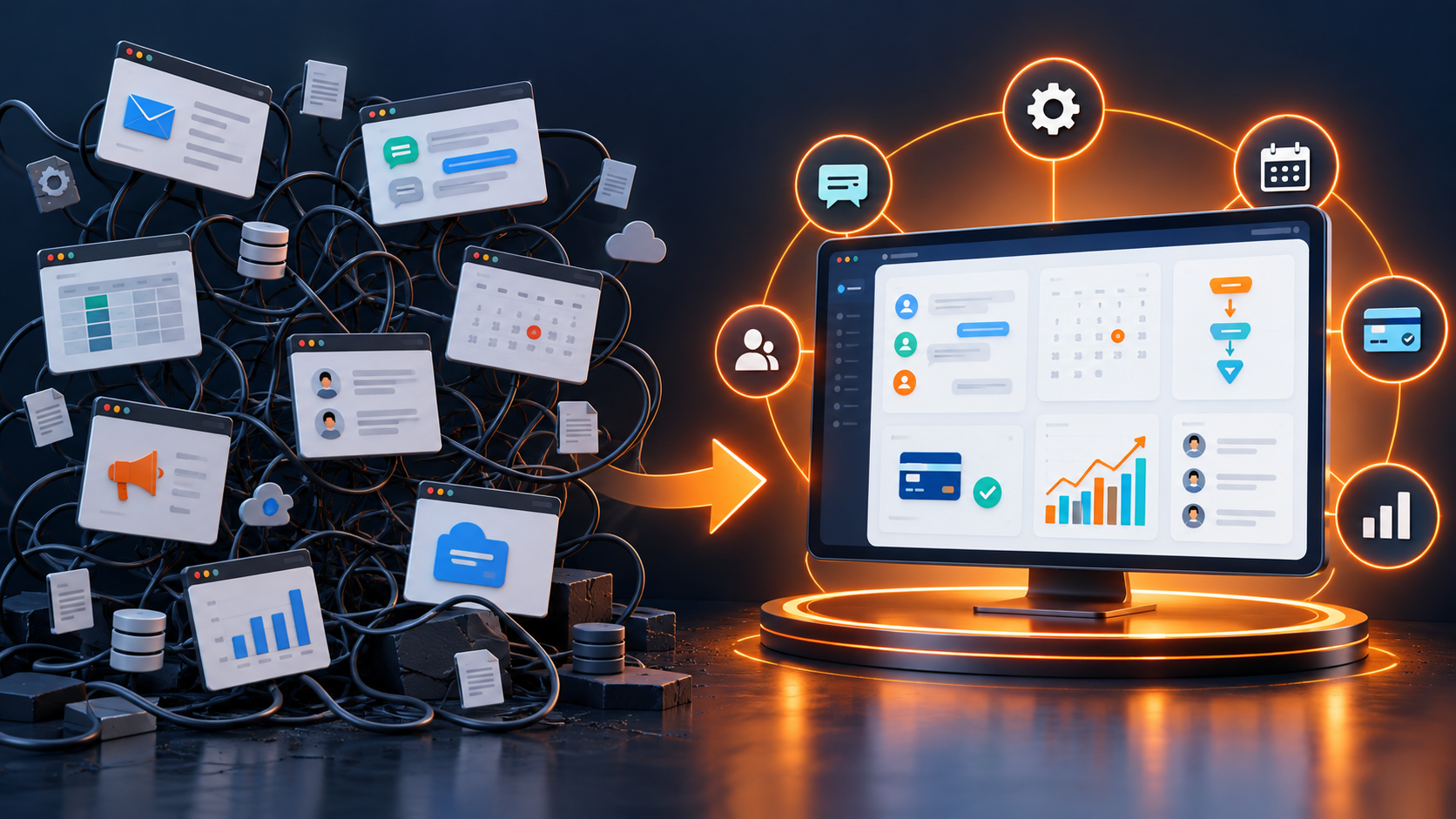
When these components share one source of truth, an AI agent can act with context instead of producing an isolated answer that the team must copy into another tool.
How an AI Agent Moves a Lead from Inquiry to Appointment
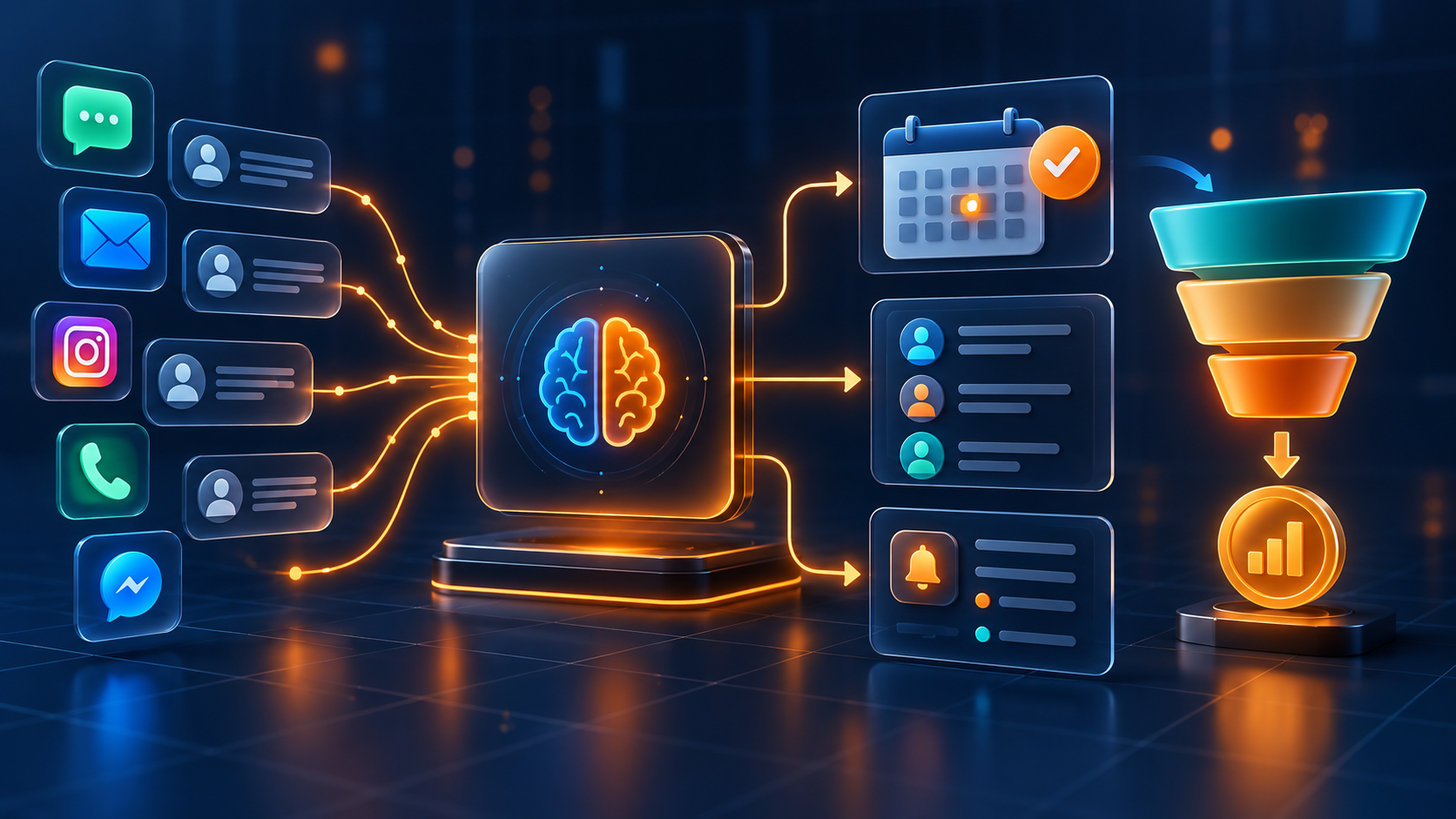
Consider a visitor who asks about a service outside normal working hours. In a disconnected setup, the message may remain inside one channel until an employee notices it. In an AI CRM, the journey can be structured:
- The inquiry creates or updates the correct CRM contact.
- The AI agent acknowledges the message and identifies the customer's intent.
- It asks approved qualification questions relevant to the requested service.
- The answers are saved to the contact record and opportunity.
- The lead is routed to the appropriate pipeline, location, or team member.
- If booking is appropriate, the agent offers available appointment times.
- Confirmation and reminder workflows continue after the appointment is booked.
- A human receives the complete conversation and context when a handoff is needed.
This creates a continuous customer journey rather than a collection of separate messages. Explore how CRM lead management and appointment scheduling support that journey.
Seven High-Value Uses of AI in CRM
1. Immediate First Response
An AI customer service agent can acknowledge a new inquiry at any time, set a clear expectation, and begin collecting useful information. Speed matters, but accuracy and transparency matter too. The agent should identify its role and give the customer a simple path to reach a person.
2. Lead Qualification
An AI sales agent can ask a short sequence of approved questions about the service, location, urgency, budget range, preferred time, or desired outcome. The answers can populate CRM fields and help the team prioritize the opportunity.
Qualification should feel like help, not interrogation. Ask only for information that changes routing, scheduling, or the next sales action.
3. Automated Lead Follow-Up
Many legitimate prospects do not respond to the first message. An AI CRM can coordinate a respectful follow-up sequence across approved channels, pause when the customer replies, and notify the owner when human attention is required.
Useful follow-up may include:
- Confirming that the inquiry was received
- Answering a relevant frequently asked question
- Offering a booking link or available time
- Reminding the customer about an incomplete form or requested document
- Re-engaging an opportunity that asked to decide later
4. Appointment Booking and Reminders
When the CRM is connected to real availability, an AI appointment booking flow can help customers choose a suitable time without a long exchange of messages. The system can capture required details, assign the correct calendar, and trigger confirmations, reminders, rescheduling links, or no-show follow-up.
5. Conversation Summaries and CRM Updates
Long conversations create administrative work. AI can summarize the customer's objective, important questions, objections, promised actions, and next step. A well-designed process preserves the original conversation while giving employees a concise overview.
6. Routing and Human Handoff
AI should know when to stop. Pricing exceptions, complaints, sensitive information, complex advice, negotiation, and high-value decisions often require a person. The CRM should transfer the conversation with its history, collected details, and priority intact.
7. Next-Step Automation
After the conversation, workflows can create a task, move an opportunity, request a document, notify a salesperson, start a reminder sequence, or send a relevant resource. This is where conversational AI becomes operational automation instead of a stand-alone chatbot.
AI CRM Across WhatsApp and Other Customer Channels
Customers rarely use only one communication channel. A prospect may discover the business on Instagram, ask a question on WhatsApp, receive an email, and later call the office. If every channel has a separate inbox, neither employees nor AI can see the full relationship.
A connected shared inbox brings supported conversations into one workspace and ties them to the CRM contact. This helps teams:
- Recognize returning prospects and customers
- Avoid duplicate or conflicting replies
- Assign conversations to the right employee
- Continue a conversation with its previous context
- Measure response activity and outcomes by channel
- Preserve accountability when ownership changes
For organizations that depend heavily on messaging, a WhatsApp CRM can connect conversations, lead records, automation, and sales follow-up instead of treating WhatsApp as an isolated phone inbox.
What AI Should Automate—and What People Should Own
The best AI CRM strategy begins with clear boundaries.
AI and automation are well suited to:
- Acknowledgements and routine questions
- Data collection and record updates
- Basic qualification using approved criteria
- Appointment availability and reminders
- Conversation summaries
- Task creation, routing, and internal notifications
- Follow-up sequences with clear stop conditions
People should remain responsible for:
- Complex recommendations and professional judgment
- Complaints, emotional situations, and service recovery
- Negotiation, exceptions, and custom commercial terms
- Sensitive personal, medical, legal, or financial information
- Final decisions that materially affect a customer
- Reviewing performance, accuracy, and escalation rules
The objective is a faster, better-informed team—not a customer journey that makes human help difficult to reach.
How AI CRM Improves Sales Management
AI creates the most value when it improves the sales process rather than merely generating more messages. A manager should be able to see which leads received a response, which opportunities are waiting for action, why prospects are not progressing, and where automation needs adjustment.
Connect AI activity to measurable CRM outcomes such as:
- First-response time
- Contact and reply rate
- Qualified-lead rate
- Appointment-booking rate
- Appointment attendance rate
- Pipeline progression and stage conversion
- Lead-to-customer conversion
- Revenue by source, campaign, or service
- Human handoff rate and resolution outcome
These metrics separate useful automation from activity that only appears impressive in a demo.
Choosing the Right AI CRM Software
Before selecting a platform, map the complete process from lead source to sale and ongoing customer relationship. Then evaluate whether the software can connect that process without forcing the team to maintain duplicate systems.
Ask these questions:
- Does every supported channel update one customer record?
- Can AI use approved business knowledge and conversation context?
- Can the team define qualification, routing, and escalation rules?
- Does automation stop when a customer replies, books, opts out, or converts?
- Can the platform schedule appointments using real availability?
- Are pipeline stages, fields, dashboards, and permissions configurable?
- Can a person take over immediately with the full history?
- Does reporting connect conversations to appointments and revenue?
- Can the system grow across teams, locations, and service lines?
- Are implementation, training, and ongoing optimization available?
Do not choose a platform only because it has an AI label. Choose it because the AI is connected to the CRM actions your business actually needs.
A Practical AI CRM Implementation Plan
Start with one high-value journey and expand after it works reliably.
Step 1: Map the Current Journey
Document lead sources, common questions, required qualification details, pipeline stages, owners, booking rules, response targets, and escalation scenarios.
Step 2: Centralize Customer Data
Connect supported forms, websites, advertising sources, WhatsApp, email, calls, calendars, and other channels to a consistent contact record. Define rules for duplicates, consent, required fields, and source attribution.
Step 3: Build the Human Process First
Agree on ownership and next actions before automating them. If the team does not share a definition of qualified, contacted, booked, won, or lost, automation will multiply inconsistency.
Step 4: Configure the AI Agent
Provide approved knowledge, tone guidance, questions, actions, prohibited topics, handoff conditions, and fallback responses. Test ordinary questions as well as ambiguous, incomplete, frustrated, and out-of-scope messages.
Step 5: Launch One Workflow
A strong first workflow is new-inquiry response and qualification followed by appointment booking or human assignment. Monitor it closely before adding reactivation, review requests, upselling, or more advanced journeys.
Step 6: Review Real Outcomes
Audit conversations, missed handoffs, inaccurate answers, booking quality, conversion rates, opt-outs, and customer feedback. Improve the process continuously rather than treating AI setup as a one-time project.
Common AI CRM Mistakes
Automating a Broken Process
Unclear pipeline stages and ownership rules do not become clearer when automated. Standardize the process first.
Hiding the Human Option
Customers should know how to reach a person. A loop that repeatedly produces irrelevant answers damages trust.
Giving AI Too Much Authority
Use permissions and approval rules. Do not allow an agent to make promises, discounts, or high-impact decisions outside its defined scope.
Ignoring Consent and Channel Rules
Messaging requirements vary by channel and market. Maintain consent records, approved templates where required, opt-out handling, and appropriate data-retention practices.
Measuring Messages Instead of Revenue
The number of automated replies is not a business outcome. Measure qualified conversations, booked appointments, conversion, customer satisfaction, and revenue.
How Lead Connector Brings AI and CRM Together
Lead Connector combines CRM lead management, AI agents and AI Studio, automation, WhatsApp and multichannel conversations, appointment scheduling, websites and forms, pipelines, payments, reputation tools, and reporting in one connected platform.
Instead of purchasing an isolated chatbot and asking employees to transfer its data manually, businesses can design a journey in which a conversation updates the customer record and triggers the correct operational step.
The platform can support a flow such as:
- A lead arrives from an advertisement, form, website, WhatsApp, or another connected source.
- The CRM creates or updates the customer profile and records attribution.
- An AI agent responds, answers approved questions, and collects qualification details.
- The opportunity is routed, scored, and placed in the appropriate pipeline.
- The customer books an available appointment or is transferred to a team member.
- Automated reminders and follow-up continue with clear stop conditions.
- Managers track activity, appointments, pipeline movement, and sales results.
Learn more about AI Agent and AI Studio or review the all-in-one CRM platform.
Frequently Asked Questions
Is AI CRM the Same as a Chatbot?
No. A chatbot is primarily a conversation interface. AI CRM software connects conversation capabilities to customer records, pipelines, calendars, assignments, workflows, reporting, and other business actions. The connection to operational data is what makes it useful beyond answering questions.
Can an AI Sales Agent Qualify Leads Automatically?
Yes, when qualification criteria are clearly defined. It can ask approved questions, save answers, apply tags or fields, route the opportunity, and offer a booking step. Human review should remain available for ambiguous or high-value situations.
Can AI CRM Work with WhatsApp?
It can when the platform uses supported WhatsApp business connectivity and follows applicable messaging, consent, and template requirements. The strongest setup connects the WhatsApp conversation to the same CRM record used by sales and service teams.
Will AI Replace the Sales Team?
AI is best used to reduce response delays, repetitive questions, manual updates, and forgotten follow-up. People remain essential for discovery, advice, relationship building, negotiation, exceptions, and complex decisions.
What Is the Best First AI CRM Workflow?
Begin with a narrow, measurable journey: capture a new inquiry, send an immediate acknowledgement, ask a few qualification questions, assign the correct owner, and offer an appointment or human handoff. Expand only after the workflow is accurate and producing useful outcomes.
Turn Every Inquiry into a Clear Next Step
AI CRM software is valuable when it helps customers move forward and gives employees better context—not when it simply produces more automated messages.
With one connected system for customer data, conversations, AI, calendars, pipelines, and workflows, a business can respond faster, follow up consistently, and understand which interactions create appointments and sales.
Explore Lead Connector to design an AI-powered customer journey around the way your business actually sells and serves.