
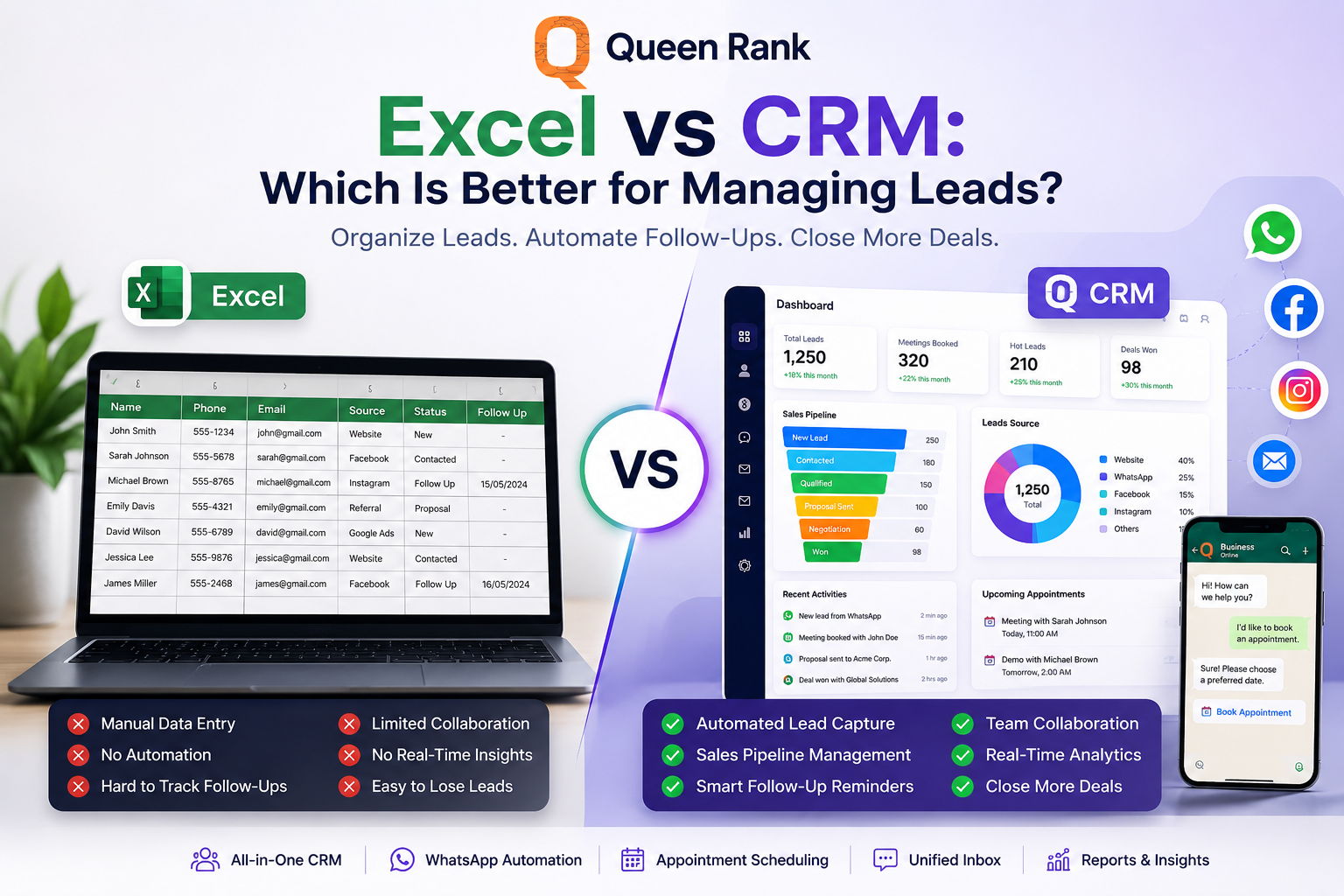
Excel vs CRM: Which Is Better for Managing Leads?
Still managing your leads with Excel spreadsheets? Discover the key differences between Excel and CRM software, and learn why growing service businesses use CRM systems like Lead Connector to automate lead management, improve sales follow-ups, organize customer data, and close more deals.
Excel vs CRM: Which Is Better for Managing Leads?
Excel vs CRM: Which Is Better for Managing Leads?
If you're running a service-based business, chances are you've used Microsoft Excel to manage your customer information.
It works well in the beginning.
You create a spreadsheet, add customer names, phone numbers, email addresses, and maybe a few notes. For a small number of leads, Excel feels simple and free.
But what happens when your business starts growing?
More marketing campaigns.
More WhatsApp inquiries.
More sales representatives.
More follow-ups.
More appointments.
Suddenly, that spreadsheet becomes difficult to maintain, and valuable opportunities begin slipping through the cracks.
This is why thousands of businesses eventually move from Excel to a professional Customer Relationship Management (CRM) platform.
In this guide, we'll compare Excel vs CRM to help you decide which solution is best for managing leads and growing your business.
---
Why Businesses Start with Excel
There's nothing wrong with using Excel during the early stages of a business.
It's easy to use, familiar, and available on almost every computer.
Many companies use Excel to:
- Store customer information
- Track phone numbers
- Record email addresses
- Add sales notes
- Monitor simple follow-ups
- Export reports
For businesses with only a handful of customers, Excel can be enough.
The challenge begins when your sales process becomes more complex.
---
The Limitations of Excel for Lead Management
As your business grows, spreadsheets begin creating problems instead of solving them.
1. Leads Become Scattered
Your leads may come from:
- Website forms
- Facebook Ads
- Google Ads
- WhatsApp Business
- Referrals
- Phone calls
Excel doesn't automatically collect information from these sources.
Someone has to copy and paste every lead manually.
That consumes valuable time and increases the chance of human error.
---
2. No Sales Pipeline
A spreadsheet cannot visually show where every customer is in your sales process.
Questions like these become difficult to answer:
- Which leads are qualified?
- Which customers need follow-up?
- Which proposals are pending?
- Which opportunities are close to closing?
A CRM organizes every lead into a professional sales pipeline so your team always knows what to do next.
---
3. Manual Follow-Ups
One of the biggest reasons businesses lose sales is simple:
They forget to follow up.
With Excel, reminders usually depend on someone's memory.
Modern CRM software automatically schedules follow-ups, sends reminders, and even automates customer communication.
---
4. Poor Team Collaboration
Imagine five salespeople updating the same spreadsheet simultaneously.
Someone accidentally deletes information.
Someone overwrites another salesperson's notes.
Nobody knows who owns which customer.
A CRM solves this by assigning leads to specific team members while tracking every activity.
---
5. No Automation
Excel stores information.
CRM software works for you.
Modern CRM platforms can automatically:
- Assign new leads
- Send welcome emails
- Reply on WhatsApp
- Schedule appointments
- Create follow-up tasks
- Notify sales representatives
- Update customer stages
- Generate reports
Automation saves hours every week.
---
What Is a CRM?
A Customer Relationship Management (CRM) system is software designed to help businesses organize customer information, manage leads, automate sales processes, and improve customer relationships.
Instead of acting like a spreadsheet, a CRM becomes the central hub for your entire sales operation.
Every customer interaction is stored in one place.
Every salesperson works from the same system.
Every lead is tracked until it's either won or lost.
---
Excel vs CRM Comparison
| Feature | Excel | CRM Software |
|---|---|---|
| Store Leads | ✅ | ✅ |
| Sales Pipeline | ❌ | ✅ |
| Lead Assignment | ❌ | ✅ |
| Follow-Up Reminders | ❌ | ✅ |
| WhatsApp Integration | ❌ | ✅ |
| Email Automation | ❌ | ✅ |
| Appointment Scheduling | ❌ | ✅ |
| AI Chatbot | ❌ | ✅ |
| Unified Inbox | ❌ | ✅ |
| Team Collaboration | Limited | ✅ |
| Reports & Dashboards | Limited | ✅ |
| Marketing Automation | ❌ | ✅ |
| Customer History | Limited | ✅ |
The difference is clear.
Excel stores data.
A CRM helps you grow your business.
---
When Should You Move from Excel to CRM?
If you answer "Yes" to any of these questions, it's probably time to upgrade.
- Are you managing more than 100 leads?
- Do multiple employees contact customers?
- Are leads coming from different channels?
- Do customers complain about slow responses?
- Are you missing follow-ups?
- Do you struggle to track sales performance?
- Are you manually assigning leads?
If so, a CRM will save your business time while improving customer experience.
---
Why Businesses Choose Lead Connector CRM
Lead Connector was designed specifically for service-based businesses that want to organize their sales process and increase conversions.
Instead of using multiple disconnected tools, Lead Connector combines everything in one platform.
With Lead Connector, you can:
- Capture leads automatically from multiple sources
- Organize customers using customizable sales pipelines
- Assign leads to your sales team automatically
- Automate WhatsApp conversations with AI
- Book meetings online
- Manage social media
- Respond from one unified inbox
- Track team performance through real-time dashboards
- Build automated workflows that save hours of manual work
Whether you're a marketing agency, real estate company, healthcare provider, consulting firm, training center, or professional services business, Lead Connector helps you work smarter and close more deals.
---
Final Thoughts
Excel is an excellent spreadsheet.
But it was never designed to manage a growing sales team.
As your business expands, spreadsheets become slower, harder to maintain, and more likely to cause missed opportunities.
A CRM does far more than store customer information—it organizes your sales process, automates repetitive tasks, improves collaboration, and helps your team convert more leads into paying customers.
If you're serious about scaling your business, upgrading from Excel to a CRM isn't just an improvement—it's an investment in sustainable growth.
Ready to Replace Excel?
Stop wasting time updating spreadsheets manually.
Discover how Lead Connector helps businesses organize leads, automate follow-ups, improve customer communication, and grow faster—all from one powerful platform.
Start your journey with Lead Connector today and turn every lead into an opportunity.