
How to Reduce Appointment No-Shows with Automated Reminders
Reduce appointment no-shows with automated confirmations, timed reminders, easy rescheduling, CRM workflows, and practical measurement.
How to Reduce Appointment No-Shows with Automated Reminders

Empty appointment slots cost time and revenue, but many no-shows are preventable. Automated appointment reminders help customers remember, prepare, confirm, or reschedule while giving staff a clear view of attendance risk.
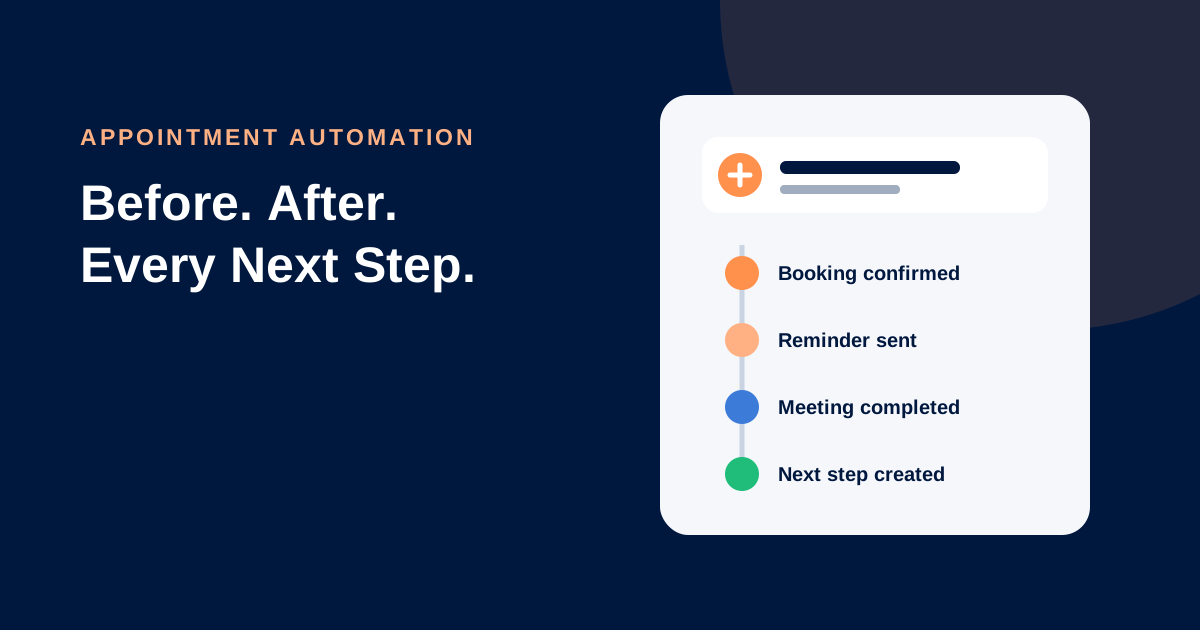
The best reminder system is not a stream of generic notifications. It is a coordinated workflow that begins at booking and ends when the appointment is completed, rescheduled, cancelled, or marked as a no-show.
Why customers miss appointments
Common causes include forgetting, unclear time zones, missing location details, uncertainty about preparation, schedule changes, and difficulty contacting the business. Some customers also book too far in advance and lose urgency.
To reduce appointment no-shows, remove these points of friction rather than simply sending more messages.
A practical reminder workflow
1. Confirm immediately
Send a confirmation as soon as the appointment is created. Include the date, local time and time zone where relevant, location or meeting link, service, duration, preparation instructions, and a simple reschedule or cancellation path.
2. Send a useful advance reminder
Choose timing based on the service. An appointment requiring travel or preparation needs more notice than a short online call. Ask the customer to confirm when appropriate.
3. Send a final reminder
A shorter reminder near the appointment can include directions, parking, the meeting link, or what to bring. Avoid repeating unnecessary promotional copy.
4. Route replies to a person
“Can I come 20 minutes later?” requires a real response. CRM appointment reminders should send replies into a monitored inbox with an owner and response deadline.
5. Stop messages when status changes
Cancellation, rescheduling, attendance, opt-out, or manual contact should update the CRM and stop obsolete reminders.
6. Recover appropriately
After a no-show, send one considerate message offering a new booking link. For high-value or sensitive appointments, assign a human call instead of relying only on automation.
Example reminder messages
Booking confirmation: “Your appointment with [Business] is booked for [date] at [time]. Location: [link]. Need to change it? Reschedule here: [link].”
Advance reminder: “Reminder: your [service] is tomorrow at [time]. Reply C to confirm or use this link to reschedule: [link].”
No-show follow-up: “We missed you today. If you would still like help, choose another time here: [link], or reply to speak with our team.”
Adapt wording to your industry, local messaging rules, consent basis, and brand voice.
Avoid reminder fatigue
More reminders do not always mean better attendance. Segment by service type, booking lead time, customer preference, and risk. Use the fewest messages that reliably help customers act. Make opt-outs clear where required and honour them across connected systems.
What to measure
Track attendance rate, confirmation rate, rescheduling versus cancellation, no-shows by service and lead source, reply time, delivery failures, and recovered bookings. Compare equivalent periods before and after automation. Also examine whether specific staff, locations, time slots, or booking sources have higher no-show rates.
Connect reminders with your broader marketing automation workflows, lead follow-up process, and CRM implementation checklist.
Frequently asked questions
When should automated appointment reminders be sent?
There is no universal schedule. Base timing on booking lead time, travel, preparation, and customer preferences, then improve it using attendance data.
Should reminders use SMS, WhatsApp, or email?
Use channels the customer has agreed to and that fit the message. Email works well for detail; SMS or WhatsApp can be useful for timely prompts where permitted.
Can customers reschedule automatically?
Yes. A secure self-service link can reduce friction, but availability, notice periods, deposits, and cancellation policies should remain clear.
Do reminders replace staff follow-up?
No. Automation handles predictable prompts; staff should manage exceptions, questions, sensitive situations, and valuable at-risk appointments.
Build an appointment workflow customers can act on
Lead Connector links calendars, contact records, reminders, conversations, pipelines, and reporting. Talk to Lead Connector about creating an appointment process that protects your schedule and customer experience.