.png)
Book
A prospect or customer schedules through a connected calendar.
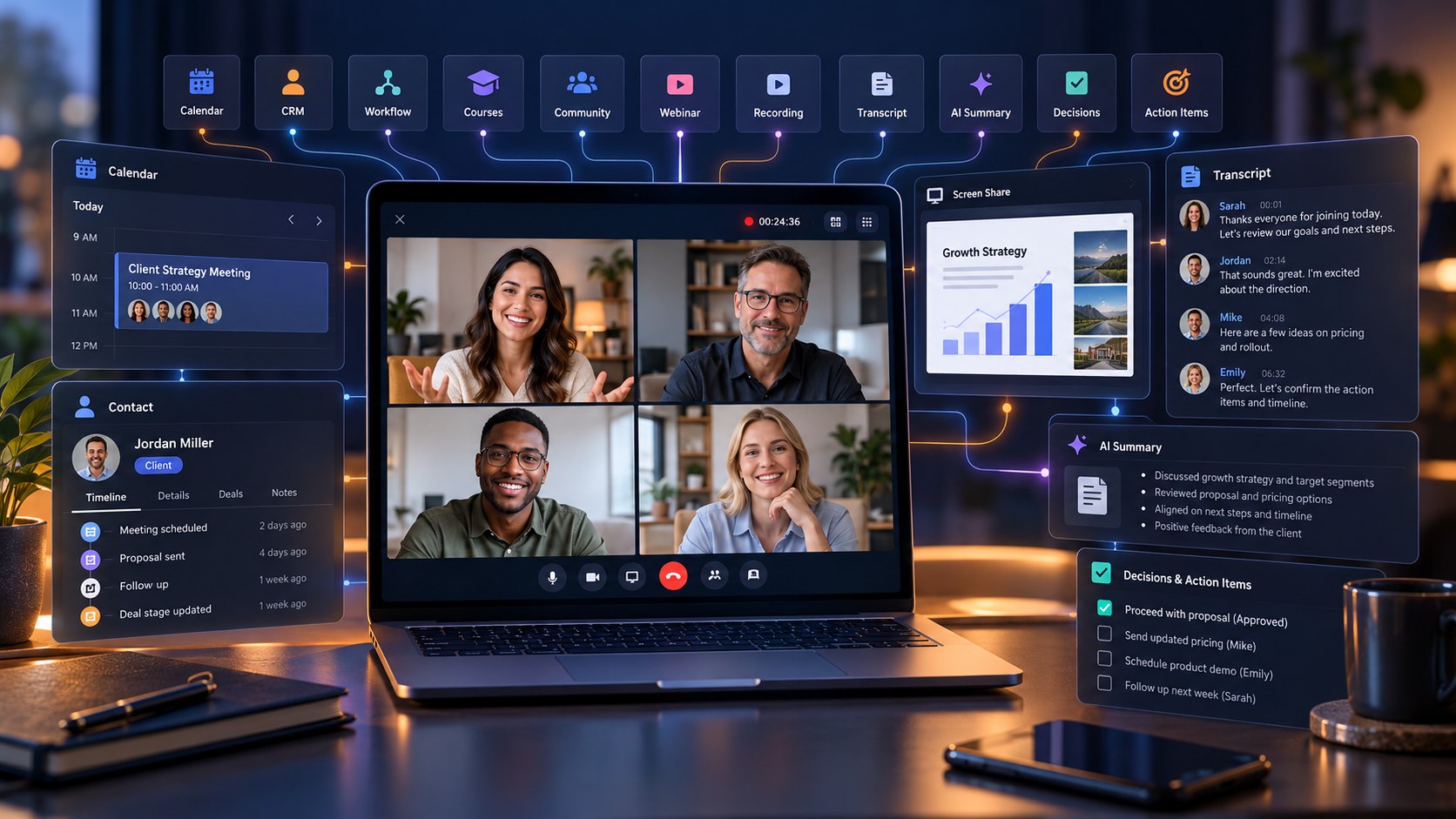
Host secure client calls, team meetings, training sessions and live experiences inside Lead Connector—then keep recordings, transcripts, AI insights, appointments and next steps connected to the same business platform.
Reusable personal and team meeting rooms
Recordings, speaker-labelled transcripts and AI assistance
Connected calendars, communities, courses, events and webinars
Why businesses need it
When scheduling, video calls, customer context and follow-up live in different tools, teams copy links, rewrite notes, miss decisions and lose momentum. Meeting Room brings the live conversation into the same connected environment used to attract, organize and follow up with customers.
A prospect or customer schedules through a connected calendar.
Use a reusable room or a unique link for an individual appointment.
Share a screen, chat, react, raise a hand and choose the right layout.
Record the meeting and enable transcription for speaker-labelled notes.
Ask AI questions and generate summaries, decisions and action items from the transcript.
Use the shared context to create tasks, update the customer journey and continue follow-up.
Open your personal room and begin a call without first creating an appointment.
Share a room link so external participants can join without an account when guest access is enabled.
Use screen sharing and in-meeting chat to review proposals, dashboards, plans or training material.
Reactions, hand raising and multiple layouts help hosts run clearer group discussions.
Picture-in-Picture keeps the meeting available while you move between browser tabs.
Hosts and co-hosts can manage participants, permissions and responsibilities.
Configure room availability, guest access, waiting rooms and passcodes. Before joining, select the right microphone, speaker and camera; supported settings also cover backgrounds, lighting and noise cancellation.
Record eligible meetings, review transcripts with speaker names and timestamps, ask questions during the call and generate an AI summary with key decisions and action items. Transcription must be enabled during the meeting for transcript-based AI features; recording alone does not create a transcript.
Use your permanent room or create a unique meeting link for each appointment.
Bring members together for live discussions and community events.
Add instructor-led sessions, office hours or coaching calls to a learning journey.
Use a Meeting Room as the online location for an event.
Connect a live webinar experience to a Meeting Room.
Keep the meeting within a broader journey that includes customer records, communication and next actions.
Run discovery calls, consultations, estimates and proposal reviews. The calendar, customer context and follow-up stay close to the meeting instead of being rebuilt across separate apps.
Offer appropriate remote consultations, preparation sessions or follow-ups with waiting-room and passcode controls. Each organization remains responsible for privacy, consent, clinical-record and regional compliance requirements.
Deliver assessments, coaching, onboarding, class support and member check-ins while connecting live sessions with courses, communities and appointments.
Host strategy calls, campaign reviews, onboarding and reporting sessions. Record decisions and action items so account teams and clients leave with the same next steps.
Combine courses with live instruction, office hours, workshops and Q&A rather than sending learners to a disconnected meeting system.
Run team meetings, training, project reviews and handoffs with reusable rooms, co-hosts and a transcript that helps absent teammates catch up.
After saving, the room is ready to start instantly or share through your scheduling process.
A standalone video tool ends when the call ends. In a connected Lead Connector subscription, the meeting can sit inside a wider journey—from lead capture and scheduling to conversations, courses, communities, tasks, sales follow-up and reporting. That reduces duplicate entry, protects context and helps the team act while the conversation is still fresh. Feature availability and usage can vary by plan and account configuration.
Read the Meeting Room setup guideMeeting Room is built-in video conferencing for client calls, team meetings, training and other live sessions. It provides reusable rooms, instant meetings, collaboration controls, recordings, transcripts and supported AI assistance inside the connected platform.
Yes, when the room owner enables guest access. The link can then be shared with external participants.
Yes. Calendars can use a permanent room link or generate a unique Meeting Room link for an individual appointment.
No. Transcription must be enabled during the meeting for a transcript and transcript-based AI features. Recording alone does not automatically create one.
From an enabled transcript, supported AI assistance can answer questions and generate summaries, key decisions and action items.
Documented connections include calendars, communities, courses, events and webinars. Meeting context can also support a broader CRM and follow-up process.
Discover how Lead Connector can help you with every aspect of your business
Give your team a clearer path from booked meeting to documented decision and timely follow-up.
Choose your plan