
Omnichannel CRM: Connect Ads, Forms, Calls, Email, and WhatsApp
Learn how an omnichannel CRM connects ads, forms, calls, email, and WhatsApp into one customer history, sales pipeline, and reporting system.
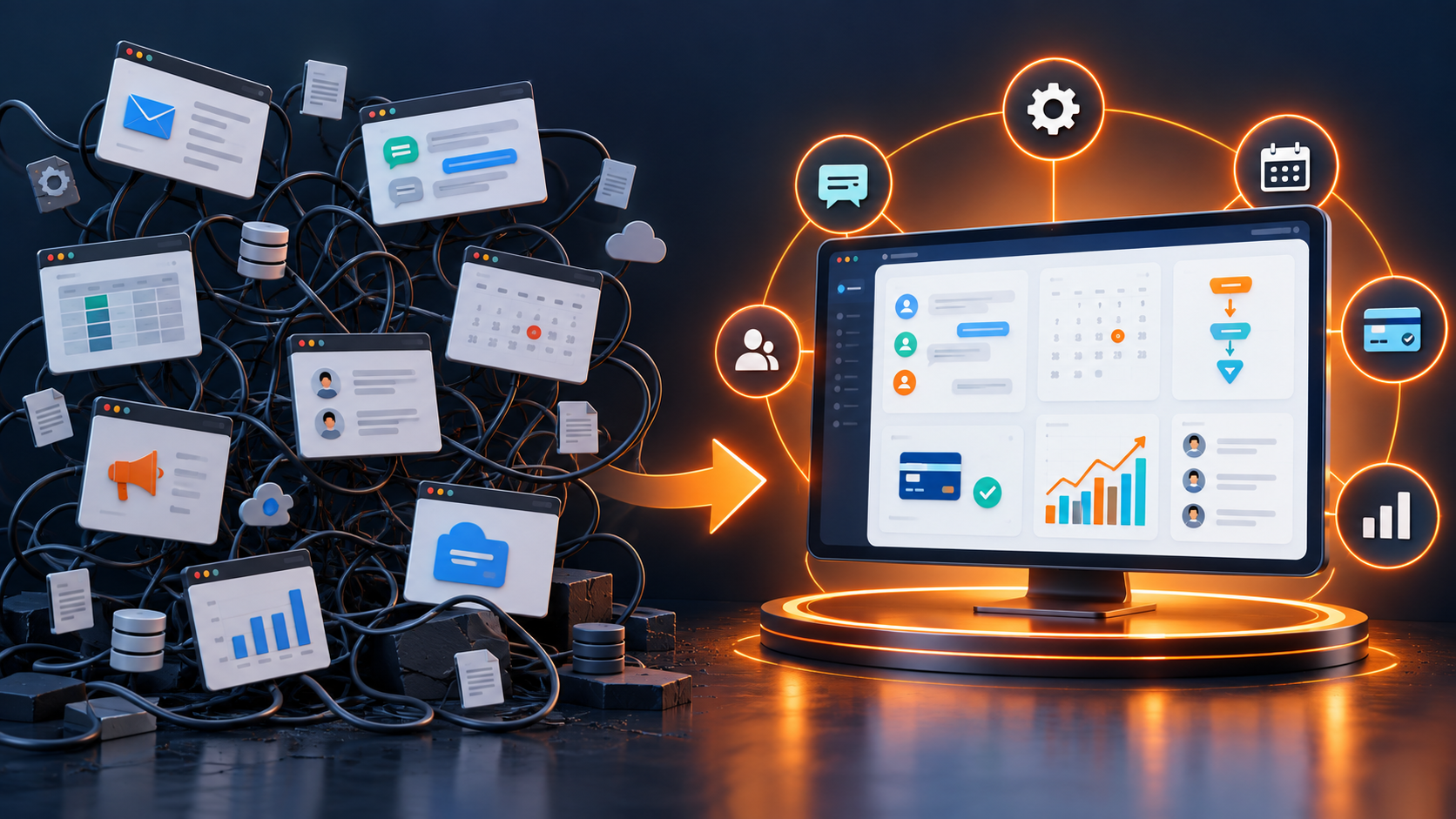
A customer may discover your business through an ad, submit a website form, ask a question on WhatsApp, book a call, and later reply by email. If every channel lives in a different tool, the team sees fragments instead of the full relationship. An omnichannel CRM connects those touchpoints to one customer record and one operating process.
This guide explains the difference between multichannel and omnichannel lead management, how to design a connected workflow, and which metrics show whether the system is working.
What is an omnichannel CRM?
An omnichannel CRM is a customer relationship management platform that brings interactions from multiple channels into a unified profile. The channel can change while the context remains available.
The CRM may connect:
- Website forms and landing pages
- Search and social advertising
- WhatsApp and other approved messaging channels
- Business phone calls
- Online booking calendars
- Manual referrals and event leads
Amazon Connect documentation describes channels as different ways a customer can contact a business, including voice and chat. In a CRM, the important step is connecting those interactions with identity, ownership, history, and business outcomes.

Multichannel versus omnichannel CRM
Multichannel means a business is available in several places. Omnichannel means those places work together around the customer.
| Multichannel setup | Omnichannel CRM |
|---|---|
| Each channel has a separate inbox | Interactions connect to one contact |
| Teams search for context manually | History is visible before responding |
| Ownership differs by tool | One lead owner and workflow |
| Reporting stops at clicks or messages | Source connects to pipeline outcomes |
| Customers repeat information | Context follows the conversation |
Adding more channels without connecting them may increase complexity. The value comes from a shared customer record and consistent process.
Why unified lead management matters
Faster, more relevant responses
When the CRM captures the source and latest interaction, the assigned person can respond with context. A lead from a pricing page may need a different next step from a general newsletter subscriber.
Fewer duplicate contacts
Identity matching can connect a form submission, phone number, and email address to the same person. Teams still need a process for reviewing uncertain matches and merging duplicates safely.
Clear ownership
Every open lead should have one accountable owner even if several channels are involved. Other team members can collaborate without creating duplicate outreach.
Better attribution
The system can preserve first-touch and latest-source information while also reporting which campaigns create qualified opportunities and sales.
Consistent customer experience
Customers do not have to restart the story when they switch from a form to a call or message. The team can acknowledge earlier context.
How to build an omnichannel lead workflow
1. Map every entry point
List the channels that produce enquiries and the information each one collects. Include offline sources such as referrals, events, and walk-ins.
2. Define a unified contact model
Choose standard fields for name, phone, email, location, service interest, consent, source, owner, lifecycle status, and next action. Use consistent formats.
3. Establish identity and duplicate rules
Decide how the system matches contacts and when a person must review a possible duplicate. Avoid automatic merges based on weak information.
4. Preserve source data
Capture useful campaign parameters and original source values. Do not overwrite first-touch data every time a customer returns through a different channel.
5. Route by business rules
Assignment may depend on location, service, language, account type, workload, or existing relationship. Include a fallback queue for records that do not match a rule.
6. Create one sales pipeline
Channels describe where the lead came from; pipeline stages describe progress. Do not build a different sales process for every inbox unless the underlying journey is genuinely different.
Our sales pipeline stages guide explains how to define milestone-based stages.
7. Set response standards
Define which enquiries are urgent, the expected response time, and what happens when an owner is unavailable. Use reminders and escalation sparingly.
8. Connect communication history
Authorized users should be able to see relevant messages, calls, notes, and appointments from the contact record. Apply role-based access and retention policies.
9. Automate predictable steps
Useful automations include acknowledgement, lead assignment, task creation, appointment reminders, stage notifications, and dormant-lead review. Stop or branch workflows when a person replies.
10. Measure outcomes by source
Compare channels using qualified leads, appointments, sales, revenue, response time, and acquisition cost—not only clicks or total enquiries.
A connected customer journey example
Imagine a prospect clicks a social ad and submits a short form. The CRM creates a contact, stores the campaign source, assigns the correct representative, and sends an acknowledgement. The prospect then asks a question on WhatsApp. That message appears on the same record.
The representative answers with the form details already visible, books a consultation, and moves the opportunity to Appointment Scheduled. Reminder messages reference the booking. After the call, the representative sends a proposal and creates the next task. When the deal is won, onboarding begins without re-entering the customer information.
The customer experiences one business. The team uses one history.
Omnichannel CRM metrics
Track metrics that connect operations to revenue:
- Leads by original source
- Leads by latest interaction channel
- First-response time by channel
- Percentage of leads with an assigned owner
- Duplicate-contact rate
- Qualification rate by source
- Appointment and show rate
- Stage conversion
- Won revenue by original source
- Leads without a next action
Review data quality before trusting comparisons. Missing or overwritten source fields can produce confident but incorrect reports.
Common omnichannel mistakes
- Adding channels without defining ownership
- Using a separate customer record for every channel
- Overwriting the original lead source
- Automating messages without consent controls
- Treating every enquiry as equally qualified
- Giving broad access to sensitive conversations
- Keeping integrations active without monitoring failures
- Measuring channel activity without pipeline outcomes
Frequently asked questions
Does omnichannel mean responding identically everywhere?
No. Tone and format can fit the channel while the customer context, ownership, and business rules remain connected.
Can a small business use omnichannel CRM?
Yes. Start with the two or three channels that produce most enquiries. A focused connected setup is more useful than many poorly managed channels.
How is lead source different from communication channel?
Lead source describes how the relationship began, such as a campaign or referral. Communication channel describes where an interaction occurs. A customer can use several channels after the original source.
Is a shared inbox enough?
A shared inbox improves collaboration, but CRM adds contact history, opportunity stages, tasks, attribution, and revenue reporting.
Which channel should be connected first?
Start with the highest-volume or highest-value source where delays and manual entry currently create problems.
Connect the customer journey, not just the tools
Lead Connector brings ads, website forms, WhatsApp, calls, calendars, sales pipelines, automation, and reporting into one workspace. With done-for-you setup, customization, and training, teams can move from scattered channels to a coordinated lead-management process.
Explore Lead Connector to connect your lead sources and give every customer conversation useful context.
Related reading: CRM Lead Management for Service Businesses and WhatsApp Lead Follow-Up Automation.