.png)

What Is CRM? A Complete Guide to Customer Relationship Management
Learn what CRM means, how customer relationship management works, why businesses use CRM, its key benefits and types, and how to choose and implement the right CRM system.
What Is CRM? A Complete Guide to Customer Relationship Management
CRM stands for customer relationship management. It is both a business strategy and the technology companies use to organize relationships with prospects and customers.
In practical terms, a CRM system gives your organization one place to manage customer information, conversations, sales opportunities, appointments, tasks, marketing activity, service history, and follow-up. Instead of relying on individual inboxes, spreadsheets, phones, and memory, teams work from a shared customer record.
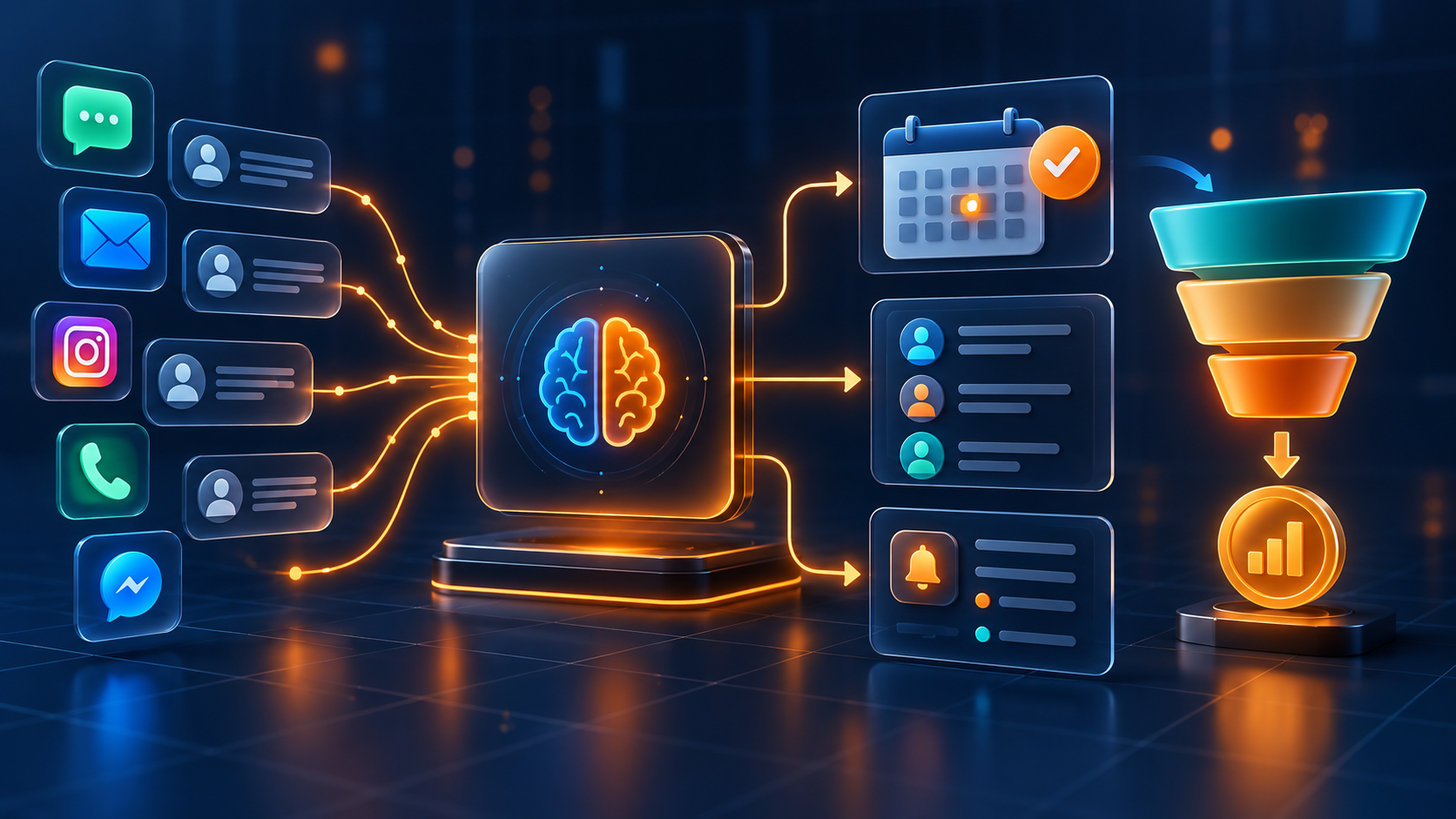
Modern CRM software can do much more than store names and phone numbers. It can capture leads, connect communication channels, automate routine work, guide sales pipelines, schedule appointments, measure conversion, and help AI agents act with useful customer context.
This guide explains what CRM means, how a CRM works, why businesses use it, the main types and benefits, and how to choose and implement the right system for an organization of any size.
> CRM definition: Customer relationship management is the strategy, process, and software used to manage a company's interactions with current and potential customers throughout the customer lifecycle.
What Does CRM Stand For?
CRM stands for Customer Relationship Management.
Each word matters:
- Customer includes prospects, leads, active customers, former customers, partners, and other relationships your organization manages.
- Relationship covers every interaction—from the first advertisement or inquiry to sales, onboarding, service, renewal, and referral.
- Management means creating a consistent process for storing information, assigning responsibility, completing follow-up, and measuring outcomes.
When people say “CRM,” they usually mean CRM software. But software is only part of the answer. A successful CRM also requires clear processes, reliable data, ownership rules, and employees who understand how the system supports their work.
CRM Strategy, CRM System, and CRM Software
These terms are related but slightly different.
CRM Strategy
A CRM strategy defines how a company attracts, understands, serves, retains, and grows customer relationships. It answers questions such as who owns a new lead, how quickly the company should respond, what information employees need, and what experience the customer should receive.
CRM System
A CRM system is the complete operating model: technology, processes, data, rules, people, and reporting. It connects what the company intends to do with how employees actually work.
CRM Software
CRM software is the platform used to store records, manage communication, track opportunities, automate tasks, schedule activities, and report performance. The software enables the strategy, but it cannot replace good process design.
What Does a CRM System Do?
A CRM system creates a shared business memory. It records who the customer is, how they found the company, what they asked for, what the team has done, and what should happen next.
Centralizes Customer Data
Contact information, company details, preferences, source, consent, notes, documents, conversations, purchases, appointments, and opportunities are organized around one record. Employees no longer need to search several tools to understand the relationship.
Captures and Tracks Leads
CRM software can collect inquiries from websites, landing pages, forms, advertising campaigns, phone calls, WhatsApp, social channels, referrals, events, and imports. Lead management software then helps assign, qualify, nurture, and convert those opportunities.
Manages the Sales Pipeline
Opportunities move through clear stages such as new inquiry, contacted, qualified, appointment booked, proposal sent, negotiation, won, or lost. Salespeople know what needs attention, while managers can see pipeline value, stalled deals, and conversion by stage.
Organizes Customer Communication
A connected CRM can associate supported email, SMS, WhatsApp, calls, web chat, and social messages with the correct contact. A shared inbox helps teams respond with context and avoid duplicate or conflicting messages.
Automates Repetitive Work
Marketing automation and CRM workflows can acknowledge inquiries, assign owners, create tasks, send reminders, update fields, move opportunities, request reviews, and start follow-up based on customer actions.
Schedules Appointments
When CRM and calendars are connected, customers can select available times, employees can receive complete contact context, and the system can send confirmations, reminders, rescheduling links, and follow-up. Learn more about appointment scheduling CRM.
Measures Performance
CRM reporting helps businesses understand response time, source quality, sales activity, pipeline movement, appointment outcomes, conversion, revenue, customer retention, and team workload.
What Information Does a CRM Store?
A useful CRM record may include:
- Name, phone number, email address, company, role, and location
- Lead source, campaign, landing page, referral, or first interaction
- Communication preferences, language, consent, and opt-out status
- Email, call, WhatsApp, SMS, chat, and social conversation history
- Services, products, interests, qualification details, and customer needs
- Assigned owner, team, branch, territory, or account manager
- Pipeline, opportunity value, stage, probability, and expected close date
- Tasks, notes, meetings, appointments, documents, and promised actions
- Quotations, invoices, payments, purchases, and subscription information
- Support issues, satisfaction, reviews, renewals, and referral activity
The objective is not to collect every possible field. Store information that helps the company serve the customer, make a decision, fulfill an obligation, or improve the process. Apply appropriate permissions, consent, retention, and security practices.

How Does CRM Work? A Step-by-Step Example
Imagine a company that receives a new service inquiry from an online advertisement.
- The visitor submits a form or begins a conversation.
- The CRM creates or updates the contact and records the lead source.
- The system sends an acknowledgement and assigns the correct owner.
- Qualification answers update fields, tags, and the sales opportunity.
- The lead moves into the appropriate pipeline stage.
- The customer receives an appointment option or a personal response.
- The employee reviews the full history before speaking with the customer.
- Reminders, tasks, and follow-up continue according to the outcome.
- A proposal, sale, payment, or lost reason updates the opportunity.
- Reporting connects the original source to appointments, pipeline, and revenue.
Without a CRM, parts of this journey may remain in separate inboxes or spreadsheets. With a connected system, every team can see the relationship and act from the same information.
Why Do Businesses Use CRM?
Businesses use CRM to create consistent customer experiences while gaining control over sales, communication, and data. The most important benefits include:
- One source of truth: Teams work from a shared, current customer history.
- Faster response: New inquiries can be routed and acknowledged immediately.
- Reliable follow-up: Tasks and workflows reduce forgotten opportunities.
- Better collaboration: Marketing, sales, service, and management share context.
- More visible sales pipelines: Employees know the next action for every open deal.
- More relevant communication: Segmentation and history support timely messages.
- Stronger reporting: Activity can be connected to appointments, sales, and revenue.
- Improved customer service: Employees understand previous conversations and commitments.
- Scalable processes: A documented system supports more customers, employees, locations, and services.
The real benefit is not simply having more data. It is helping the right person take the right action at the right time.
Who Uses CRM Software?
CRM software is used by organizations of every size and across most industries. Any organization that manages leads, customers, members, patients, applicants, donors, partners, or accounts can benefit from structured relationship management.
Different teams use the same CRM data in different ways:
| Team | How the team uses CRM |
|---|---|
| Marketing | Captures leads, tracks sources, segments audiences, and measures campaigns |
| Sales | Qualifies opportunities, manages pipeline, schedules activity, and forecasts revenue |
| Customer service | Reviews history, manages conversations, and coordinates resolution |
| Operations | Standardizes handoffs, tasks, appointments, documents, and fulfillment steps |
| Management | Monitors performance, capacity, attribution, conversion, and customer outcomes |
| Finance | Connects relevant quotations, invoices, payments, and customer status |
Examples include professional services, agencies, healthcare providers, education businesses, property companies, financial services, automotive businesses, hospitality, home services, consultants, coaches, retailers, ecommerce brands, and multi-location organizations.
A Real-World CRM Example
Consider a home-service company receiving leads through Google Ads, Instagram, referrals, calls, and WhatsApp.
Before CRM, each channel has a separate history. Office employees write notes, technicians receive forwarded messages, managers cannot see which ads generate booked work, and previous customers are contacted inconsistently.
With CRM, the company can:
- Capture each inquiry with its source and requested service
- Send an immediate confirmation and notify the correct location
- Assign the opportunity by territory, service, or availability
- Book an inspection using a connected calendar
- Send reminders, preparation instructions, and rescheduling options
- Track estimates and decisions in a service pipeline
- Record the outcome and payment status
- Request a review after completed work
- Remind eligible customers about maintenance or seasonal service
- Compare source, response, booking, sale, and revenue performance
The same principle applies to a consultancy, clinic, training provider, agency, or enterprise sales team: one customer history supports a clearer next step.
The Main Types of CRM
CRM products are often described using several categories. Modern platforms may combine all of them.
Operational CRM
Operational CRM supports everyday marketing, sales, and service processes. It focuses on lead capture, pipeline stages, tasks, communication, appointments, workflows, and customer service activity.
Analytical CRM
Analytical CRM turns customer and activity data into insight. It helps identify conversion patterns, source quality, sales performance, retention behavior, demand, and opportunities for improvement.
Collaborative CRM
Collaborative CRM helps departments and employees share customer context. It reduces information silos and supports coordinated handoffs between marketing, sales, service, operations, and account management.
Strategic CRM
Strategic CRM uses customer knowledge to guide long-term decisions. It emphasizes customer value, experience, retention, loyalty, service design, and profitable growth.
CRM vs Spreadsheet: What Is the Difference?
A spreadsheet stores rows of information. A CRM manages relationships, responsibility, activity, and workflow.
| Capability | Spreadsheet | CRM system |
|---|---|---|
| Contact storage | Manual rows and columns | Structured customer records |
| Conversation history | Usually copied manually | Connected to supported channels |
| Ownership | A field that may become outdated | Assignment, tasks, and accountability |
| Follow-up | Manual dates and reminders | Tasks, workflows, and alerts |
| Pipeline | Custom columns | Visual stages, value, and conversion |
| Automation | Limited or custom-built | Event-based business workflows |
| Collaboration | File access and comments | Roles, permissions, history, and handoffs |
| Reporting | Manually maintained | Live operational dashboards |
| Scale | Becomes difficult as activity grows | Designed for repeatable customer processes |
Spreadsheets remain useful for analysis and one-time lists. They become risky as the main customer system when several employees, channels, or recurring follow-up processes are involved.
CRM vs Marketing Automation
CRM and marketing automation overlap, but they answer different questions.
A CRM asks: Who is this customer, what has happened, who owns the next step, and what is the likely outcome?
Marketing automation asks: Which eligible audience should receive which message or action, through which permitted channel, and at what time?
The strongest setup connects both. Marketing activity creates and nurtures demand; CRM ownership and pipeline activity turn that demand into accountable sales action. Read the detailed comparison in CRM vs marketing automation.
Cloud CRM vs On-Premise CRM
Cloud CRM is hosted by the provider and accessed through the internet. It usually offers faster deployment, remote access, managed updates, and easier connection to other cloud services.
On-premise CRM is hosted within infrastructure controlled by the organization. It may be selected for specific customization, integration, governance, or regulatory requirements, but it normally requires more internal technical management.
The right choice depends on security responsibilities, data location, integration requirements, customization, availability, internal expertise, and total cost—not simply company size.
What Is AI CRM?
AI CRM connects artificial intelligence to customer data and business workflows. Instead of using AI as a separate writing tool, the platform can use approved context to help interpret inquiries, summarize conversations, qualify leads, recommend next actions, schedule appointments, or trigger operational steps.
Common uses include:
- Drafting or suggesting replies using customer context
- Summarizing conversations, calls, and important next steps
- Asking approved lead-qualification questions
- Identifying intent, urgency, sentiment, or routing needs
- Offering available appointments
- Prioritizing opportunities or recommending next actions
- Updating CRM fields and creating tasks
- Supporting customers outside normal operating hours
AI requires boundaries. Complex advice, complaints, negotiation, sensitive data, exceptions, and high-impact decisions should have clear human review and handoff rules. Explore the complete guide to AI CRM software and AI agents.

Signs Your Business Needs a CRM
Your organization may have outgrown its current process when:
- Leads are stored across personal phones, inboxes, or spreadsheets
- Employees cannot see the complete customer history
- Follow-up depends on memory
- More than one person contacts the same prospect
- New inquiries wait too long for an owner
- Managers cannot see pipeline value or realistic next actions
- Marketing reports leads while sales cannot connect them to revenue
- Appointment, proposal, payment, and service information are disconnected
- Employee departure removes important customer knowledge
- Growth creates more administration instead of a more repeatable process
You do not need to wait for every problem to appear. CRM is most effective when introduced before fragmented habits become difficult to change.
Essential CRM Features to Look For
The right features depend on your business model, but a complete evaluation should consider:
- Flexible contact, company, and opportunity records
- Custom fields, tags, pipelines, stages, and ownership rules
- Lead capture and accurate source tracking
- Supported email, calling, SMS, WhatsApp, chat, and social integrations
- Shared inbox and full conversation history
- Tasks, reminders, notes, documents, and internal notifications
- Workflow and marketing automation with clear stop conditions
- Appointment scheduling, availability, reminders, and rescheduling
- Forms, surveys, landing pages, websites, and conversion tracking
- Quotations, invoices, payments, and relevant transaction history
- Dashboards for response, pipeline, conversion, revenue, and workload
- Roles, permissions, audit history, consent, export, and data controls
- APIs and integrations for essential specialist systems
- Mobile access, implementation support, and team training
- AI capabilities connected to real CRM context and controlled actions
Avoid choosing only by the length of the feature list. Test whether the platform supports the complete customer journey your company actually runs.
How to Choose the Right CRM
1. Define the Business Outcome
Decide what must improve: response speed, lead conversion, sales visibility, appointment attendance, team collaboration, customer retention, reporting, or tool consolidation.
2. Map the Customer Journey
List lead sources, communication channels, qualification questions, owners, stages, appointment types, documents, payments, service handoffs, and post-sale activity.
3. Separate Requirements from Preferences
Identify non-negotiable security, permission, integration, language, location, reporting, and compliance needs. Then rank convenience features separately.
4. Test Real Scenarios
Ask vendors to demonstrate your process from a new inquiry to sale and service. A polished contact screen is not enough.
5. Compare Total Cost
Include subscription tiers, users, contacts, messages, calls, AI usage, payment costs, integrations, migration, implementation, training, support, and ongoing administration.
6. Evaluate Adoption
The best CRM is one employees can use consistently. Involve real users, simplify required fields, define ownership, and choose a partner that can support implementation and training.
How to Implement CRM Successfully
A phased implementation is usually easier to manage than launching every feature at once.
- Set measurable objectives and appoint a CRM owner.
- Document the current customer journey and remove unnecessary steps.
- Define contact fields, pipeline stages, ownership, and reporting rules.
- Clean and map data before migration.
- Configure permissions, consent, security, and retention controls.
- Connect the highest-value lead sources and communication channels.
- Build essential tasks, reminders, and workflows.
- Test ordinary, exceptional, duplicate, opt-out, and failure scenarios.
- Train each team using its real daily process.
- Launch in phases, audit usage, and improve continuously.
For a more detailed rollout plan, use the CRM implementation checklist.
Common CRM Mistakes
Automating Before Defining the Process
Automation makes a clear process faster, but it can also multiply confusion. Agree on stages, owners, response targets, and exit conditions first.
Migrating Poor-Quality Data
Duplicate contacts, inconsistent fields, missing consent, and outdated records reduce trust immediately. Clean the data before moving it.
Requiring Too Much Manual Entry
If employees must complete unnecessary fields or repeat information already stored elsewhere, adoption will fall. Capture only what supports action, service, or reporting.
Treating CRM as a Sales-Only Tool
Customer relationships cross marketing, sales, operations, service, finance, and management. Design appropriate access and handoffs across the lifecycle.
Measuring Activity Without Outcomes
Calls, messages, and tasks matter only when connected to response, qualification, appointments, conversion, service quality, retention, or revenue.
How to Measure CRM Success
Choose metrics that reflect your original objectives. Useful measures may include:
- Percentage of leads captured with a valid source
- Median first-response time
- Leads without an assigned owner or next action
- Contact, qualification, and appointment-booking rates
- Appointment attendance and rescheduling outcomes
- Conversion between pipeline stages
- Win rate, sales-cycle length, and average opportunity value
- Revenue by source, campaign, service, team, or location
- Follow-up tasks completed on time
- Customer retention, renewal, referral, and review outcomes
- CRM adoption, data completeness, duplicates, and workflow failures
Review metrics by source, service, team, and period. An overall average can hide a strong channel, a broken workflow, or an ownership problem.
How Lead Connector Works as an All-in-One CRM
Lead Connector combines customer relationship management with the tools businesses use to capture, communicate with, convert, and retain customers.
The platform brings together:
- CRM and sales pipeline management
- Lead capture, tracking, nurturing, and conversion
- WhatsApp CRM and multichannel conversations
- Shared inbox software
- Marketing workflows, email, SMS, and campaigns
- Calendars, appointment booking, and reminders
- Websites, funnels, landing pages, forms, surveys, and QR codes
- Quotations, invoices, payments, and transaction workflows
- Review automation and reputation management
- AI Agent and AI Studio
- Source tracking, dashboards, and business reporting
One connected platform means a lead can enter from an advertisement, continue through WhatsApp, book an appointment, move through the sales pipeline, receive automated follow-up, make a payment, and remain visible as one customer relationship.
Frequently Asked Questions About CRM
What Is CRM in Simple Terms?
CRM is a way to organize every relationship and interaction with prospects and customers. CRM software gives teams one place to see customer details, conversations, tasks, sales opportunities, appointments, and next steps.
What Does CRM Stand For?
CRM stands for Customer Relationship Management. It describes both the business approach to managing relationships and the software that supports that approach.
What Is the Main Purpose of a CRM?
The main purpose is to improve customer relationships and business performance by creating reliable information, clear ownership, consistent follow-up, and measurable processes.
Is CRM Only for Sales Teams?
No. Marketing, customer service, operations, finance, management, and account teams can use CRM data. Permissions and workspaces should be configured so each team sees what it needs.
Can Large Companies Use the Same Type of CRM as Smaller Companies?
Organizations of every size use CRM, but requirements differ. Larger companies may need more complex permissions, governance, integrations, reporting, locations, business units, and implementation support.
What Is the Difference Between CRM and ERP?
CRM focuses primarily on customer relationships, communication, sales, marketing, and service. Enterprise resource planning, or ERP, focuses more on internal resources and operations such as finance, procurement, inventory, manufacturing, and supply chain. The systems may integrate.
Does CRM Replace Email or WhatsApp?
CRM does not necessarily replace communication channels. It connects supported channels to the customer record so teams can manage conversations, responsibility, and outcomes more consistently.
How Long Does CRM Implementation Take?
The timeline depends on data quality, process complexity, integrations, customization, team size, and scope. A focused first phase can launch faster than a company-wide transformation. Reliable adoption matters more than activating every feature immediately.
Turn Customer Information into Customer Growth
A CRM is not merely a digital address book. It is the operating system for understanding customers, coordinating teams, protecting follow-up, and measuring how relationships become revenue and loyalty.
The right CRM gives every lead a clear owner, every customer a connected history, and every team a more reliable next step.
Explore Lead Connector CRM or contact our team to design a connected customer-management process for your organization.