.png)
CRM vs Project Management: Differences, Use Cases and When You Need Both
Compare CRM and project management software, understand what each system manages, and learn how connected customer and delivery workflows prevent post-sale handoff gaps.
What is the difference between CRM and project management?
Customer relationship management and project management support different parts of business operations. A CRM organizes people, companies, leads, conversations, opportunities and revenue activity. Project management organizes the work required to produce an outcome through tasks, owners, statuses, priorities and deadlines.
A CRM answers questions such as: Who is the customer? What did they request? Which conversations took place? What is the opportunity worth? Where is the deal in the pipeline? What should sales do next?
Project management answers a different set of questions: What did we promise to deliver? Which work is waiting, active or complete? Who owns each action? When is it due? Which instructions, comments and subtasks belong to the work?
Many businesses need both. The important decision is not whether CRM or project management is universally better. It is whether customer context and delivery work should remain connected.
CRM vs project management at a glance
| Area | CRM software | Project management software |
|---|---|---|
| Primary focus | Customer relationships and revenue | Work planning and delivery |
| Core records | Contacts, companies, leads and opportunities | Projects, lists, tasks and subtasks |
| Typical owner | Sales, marketing and customer teams | Delivery, operations and project teams |
| Main workflow | Lead to opportunity to customer | Planned to active to complete |
| Common measures | Response, pipeline, conversion and revenue | Progress, ownership, dates and completion |
| Communication context | Customer messages, calls and activity | Task comments, instructions and updates |
| Best result | A controlled customer journey | Accountable execution of defined work |
The categories can overlap. A sales representative may need tasks, and a delivery manager needs customer information. The difference is the purpose of the record. A CRM task usually protects the next customer action; a project task contributes to a larger deliverable.
What does a CRM manage?
A CRM creates a shared customer record. It can preserve contact details, source data, consent, notes, communication history, appointments, opportunities, documents and relevant activity. Pipelines represent the commercial journey, such as New Enquiry, Qualified, Proposal Sent, Won or Lost.
CRM automation can route a new lead, notify an owner, send permitted follow-up, create a reminder or update an opportunity after a supported event. Reporting can help teams evaluate response time, stage movement, conversion and revenue-related activity.
The CRM should remain the reliable place to understand the relationship. It should not become a project board filled with every delivery action if those actions make the sales journey impossible to read.
Explore how the Lead Connector CRM connects contacts, conversations, opportunities, automation and customer activity.
What does project management manage?
Project management turns a commitment into visible work. A project structure can group related activity, divide an outcome into tasks and subtasks, assign owners, set priorities and dates, and let the team update status as work progresses.
Lead Connector Project Management uses a hierarchy of Spaces, optional Folders, Lists, Tasks and Subtasks. Spaces can define statuses, custom fields, members and privacy. Lists can represent a customer project, campaign or workstream. Tasks can include descriptions, assignees, dates, priorities, fields, comments and supported CRM associations.
Teams can use Kanban view to see work moving across statuses or List view to review structured task information. Filters and grouping help narrow the board to the work that matters for a particular review.
Review the complete Project Management feature or follow the Project Management setup guide.
Why businesses often need CRM and project management together
The handoff after a sale is a common failure point. Sales may know the customer's goals, urgency and commitments, while delivery receives only a short internal message. The project begins without the original context, and the customer has to repeat information.
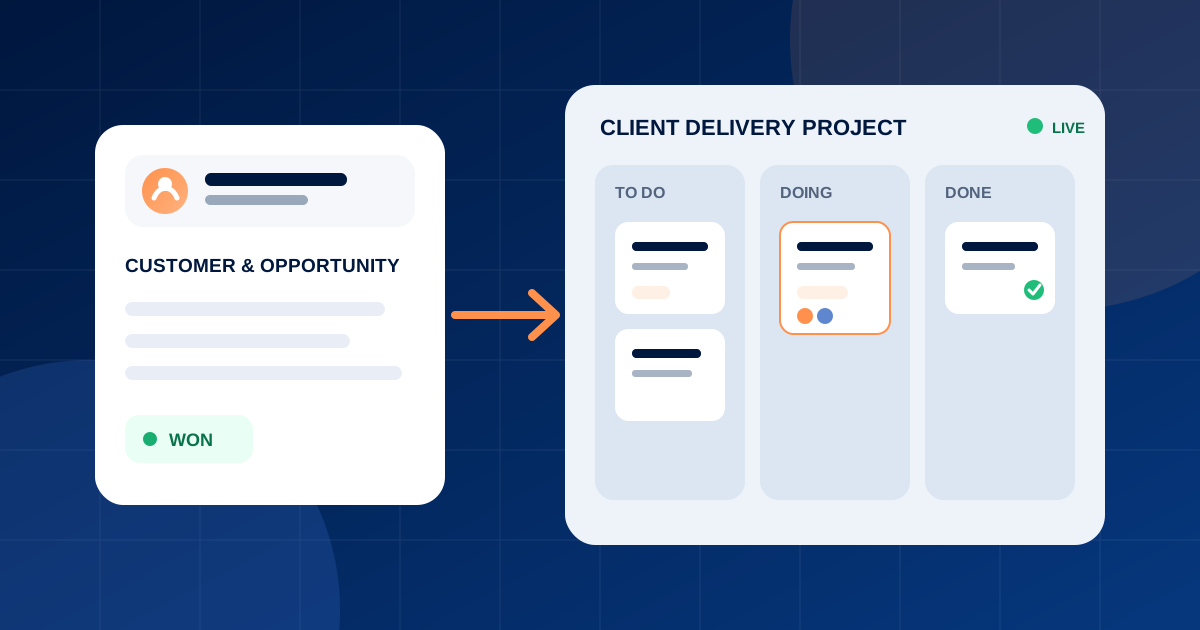
Connecting the systems creates a clearer transition. The opportunity shows why the customer bought and which commercial stage was completed. The project structure shows how the team will deliver the result. Associations between tasks and relevant contacts or opportunities help employees navigate between the relationship and the work.
This does not mean every CRM event needs a project task or every project comment belongs in the contact timeline. The goal is useful context, not unlimited duplication.
Example: customer onboarding
Consider a company that sells a managed service. The CRM pipeline tracks the enquiry, discovery call, proposal, negotiation and won opportunity. Once the sale is complete, a project list can coordinate onboarding.
The onboarding work might include collecting brand assets, confirming users, importing data, configuring communication channels, training the team, reviewing the setup and approving launch. Each task has an owner and due date. Comments record delivery decisions, while the association points employees to the relevant customer or opportunity.
The CRM continues to manage the relationship, communication and future revenue. The project board manages the operational promise. Both views describe the same customer journey from different angles.
Example: marketing campaign delivery
An agency may use the CRM to qualify a prospect, create an opportunity, record the proposal and track the contract value. After the customer buys, a campaign list can organize the brief, creative assets, copy, approval, publishing and review.
Custom fields can capture relevant delivery information, while statuses show whether an item is waiting, in progress, under review or complete. A private Space can limit sensitive work to selected members. The agency keeps the commercial relationship connected without forcing campaign production into opportunity stages.
Example: service operations
A consulting, training or professional-service company can use lists for engagements and tasks for workshops, documents, reviews and customer milestones. Internal operations can use the same principles for process improvements or cross-team initiatives.
The system should reflect the actual operating model. A list might represent one client when work is substantial, or one program with tasks for several controlled activities. Consistent naming, ownership and status definitions matter more than creating the maximum number of levels.
When a CRM task is enough
Not every action needs a project. A simple callback, proposal reminder or single follow-up belongs naturally in the CRM. Creating a new project for a one-step action adds unnecessary administration.
Use a CRM task when the action is primarily about advancing or maintaining the customer relationship and does not require a coordinated body of delivery work. Use project management when the outcome includes several related tasks, contributors, dates, stages or deliverables.
When a dedicated project application may still be required
CRM-native project management is valuable because customer and revenue context stays close to delivery. However, some organizations rely on specialized planning capabilities. If the operating model requires advanced dependency networks, resource-capacity planning, detailed time sheets, portfolio forecasting or specialized Gantt scheduling, verify those requirements before replacing a dedicated application.
Lead Connector's documented Project Management capabilities include Spaces, optional Folders, Lists, Tasks, Subtasks, custom statuses, fields, assignees, dates, priorities, descriptions, comments, CRM associations, Kanban and List views, filters and private Spaces. Choose it for those connected-delivery needs rather than assuming undocumented functionality.
How to design a connected CRM and project workflow
Start with one customer journey. Define the event that marks the commercial handoff, the information delivery needs and the person responsible for starting the project.
Create a Space with only the members, statuses and fields needed for that operating process. Add a Folder only when multiple Lists require meaningful grouping. Use a List for the customer project or workstream. Create tasks with clear verbs, accountable owners and realistic due dates.
Associate relevant contacts or opportunities where context is useful. Decide which information belongs in the CRM and which belongs in the task. Test the journey from a real-looking opportunity through project completion before expanding it to the full team.
Review the board weekly during adoption. Look for open tasks without owners, overdue work without explanation, statuses that employees interpret differently and projects that were created without customer associations. Simplify the structure when employees spend more time maintaining it than using it.
Metrics to monitor
CRM measures can include lead response time, qualification, pipeline conversion, sales-cycle length, won value and retention. Project measures can include active work, overdue tasks, time in status, completion and delivery milestones.
Together, these measures reveal whether revenue is becoming a successful customer outcome. A high win rate with delayed onboarding is not healthy growth. Fast task completion with poor retention may mean the team is closing work without creating value.
Use metrics as evidence for improvement, not as a substitute for reviewing customer expectations and work quality.
Final recommendation
Choose CRM for managing relationships, pipeline and revenue activity. Choose project management for coordinating multi-step delivery. Use them together when the work begins from a customer commitment and teams need the commercial and operational context to remain connected.
Lead Connector is especially relevant for service businesses, agencies, consultants and teams that want CRM-native project and task management without separating every customer handoff into another system.
Frequently asked questions
Is CRM the same as project management?
No. CRM manages customer relationships, communication, opportunities and revenue activity. Project management organizes the tasks, owners, dates and statuses required to deliver an outcome.
Can a CRM include project management?
Yes. A CRM can include project-management capabilities so customer and opportunity context stays connected to delivery. Evaluate the actual task structure, views, permissions and planning capabilities rather than relying on the category label.
Should a sales pipeline be used as a project board?
Usually not. A pipeline should communicate the commercial stage of an opportunity. A project board should communicate the execution status of delivery work. Combining both into the same stages can make sales and service reporting unclear.
What projects can Lead Connector manage?
Documented use cases include customer onboarding, campaign delivery, internal operations, service delivery and sales follow-up. The structure can be adapted through Spaces, Lists, Tasks, statuses and custom fields.
Can project tasks connect to CRM records?
Yes. Project tasks can be associated with supported CRM contacts and opportunities, helping teams retain relevant customer and deal context.
Does Lead Connector offer Kanban project management?
Yes. Project work can be viewed through Kanban and List views. Kanban organizes tasks by status groups, while List view presents structured task information.